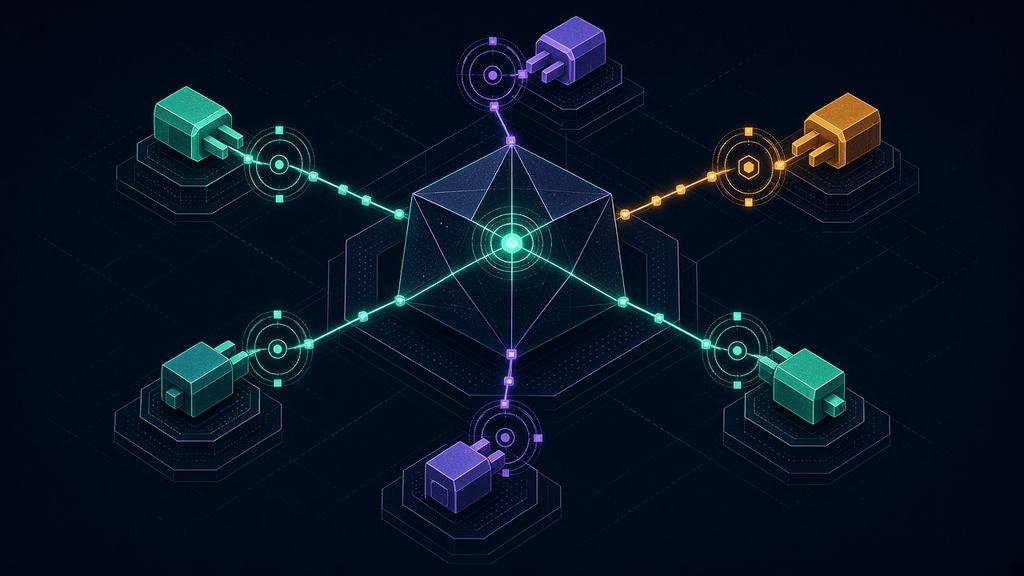
Agent and MCP security tools scan Model Context Protocol (MCP) servers before you connect them, sit between agents and tools as gateways, or watch agent behavior at runtime. They exist because an agent that reads a poisoned MCP tool description can call tools and move data its user never approved.
Scanners, gateways, runtime monitors and identity controls for AI agents that call tools, read data and take actions, including agents that connect to tools through the Model Context Protocol (MCP).
The risk
An agent with broad tool access acts on whatever instructions reach it. Hidden instructions in a tool description or tool output can trigger calls the user never approved, which OWASP files under prompt injection and excessive agency.
What to buy or do
Limit each agent to the tools and scopes it needs and require human approval for high-impact actions. Then add an MCP scanner in development and a gateway that applies policy and logging to tool calls.
Quick picks
The highest Coverage Scores in this category. The score measures what each vendor documents publicly; it is not an
endorsement and it does not measure detection quality.
Scans skills and MCP servers, inspects agent tool calls and keeps an audit trail around AI coding agents.
Best for: Security teams that want scanning, guardrails and an audit trail around the coding agents developers already run, starting in observe mode before anything is blocked
Proxies AI clients to MCP servers it runs as isolated Docker containers, with tool filters and call logs.
Best for: Developers and platform teams that already use Docker and want MCP servers to run in containers behind one gateway with per-server tool selection
Open-source proxy that applies auth, CEL policy and guardrails to LLM, MCP and agent-to-agent traffic.
Best for: Platform teams that want one open-source gateway in front of MCP servers and LLM providers, with token validation, CEL rules per MCP method and pluggable guardrails
69Coverage Score 69 out of 100
LLM02 Sensitive Information Disclosure
LLM06 Excessive Agency
Reviewed
All 29 agent security tools
Sorted by Coverage Score within the category. Tools cross-listed from another category carry an "Also covers" label.
Choose by where the agent's risk sits. An agent that calls tools through the Model Context Protocol (MCP) can be attacked through the tool descriptions it reads, the data its tools return and the permissions it holds. Products here work at different points: scanning servers before you connect them, gateways between agents and tools, runtime monitoring, and identity and permission controls.
Setup
Start with permissions. OWASP's guidance on excessive agency says to minimize the extensions an agent can call, avoid open-ended ones such as shell access, grant only the downstream permissions needed and require user approval for high-impact actions.
Scope tokens. The MCP specification's security best practices say servers must not accept tokens that were not issued for them (token passthrough) and recommend a minimal initial scope set, raised only when a privileged operation needs it.
Choose the risks. We weigh LLM01, LLM02, LLM05, LLM06 and LLM07 in this category.
Integration
Pick the enforcement point. Scanners check a server's tool definitions before use, gateways and proxies apply policy when a call is made, and runtime tools watch what an agent does.
Re-check tools over time. Invariant Labs describes tool poisoning as instructions hidden in tool descriptions that the model sees and the user does not, and a rug pull as a server changing a tool's description after the client approved it. Ask whether a scanner checks again after install.
Match the deployment to your workflow: a local developer tool, a CI step, a gateway or a hosted platform. The table lists each.
Screening the content of prompts and tool output belongs to the runtime guardrails layer; agents usually need both.
Limits
A scanner can flag suspicious tool descriptions, but it cannot make an over-permissioned agent safe. The protocol and the products around it change often, so re-check versions and documentation before you rely on a feature. Start with least privilege and human approval, then add tooling.
Agent security FAQ
What is MCP?
The Model Context Protocol is an open-source standard for connecting AI applications to external systems. Through it, an AI application can reach data sources such as files and databases, tools such as search engines, and workflows.
What is tool poisoning?
It means malicious instructions placed in an MCP tool's description. The model reads them, but the user usually does not see them, so the model may act on them. Invariant Labs describes it as a specialized form of indirect prompt injection.
What does an MCP gateway do?
It sits between agents and MCP servers, so it can apply policy, authentication and logging to tool calls in one place. Each product documents its own features, so check the capabilities on each tool page.
Which OWASP risks apply most to agents?
LLM06 Excessive Agency is the main one, together with LLM01 prompt injection, which can trigger unwanted tool calls. OWASP's guidance centers on minimizing tools and permissions and requiring human approval for high-impact actions.
How should MCP servers handle tokens?
The MCP security best practices page says a server must not accept tokens that were not explicitly issued for it, which rules out token passthrough. It also recommends a minimal initial scope set, with more scope requested only when an operation needs it.
Do MCP scanners find every malicious server?
No. A scanner checks what it can see, such as tool descriptions and configuration. It cannot promise that a server is safe, and a server can change after you scan it. Combine scanning with sandboxing and least privilege.
Sources & last reviewed
Last reviewed . We compile from the vendors' own public
pages and repositories and we do not run the products. Source links open in a new tab. Found a mistake? Report a correction.
We may use analytics and, later, show ads. They stay off until you choose, wherever you are. Declining
never limits what you can read. See our privacy policy and
cookie policy.
Privacy settings
Choose what you allow. Your choice is stored on this device for 13 months. You can change it later from the
"Privacy choices" link in the footer.